
- 3CX v20
- Python
- Open source
- Free
3CX Bulk Holidays Manager
Set holiday schedules across every department — and every 3CX system you look after — in a few clicks instead of a few hours.
The problem it solves
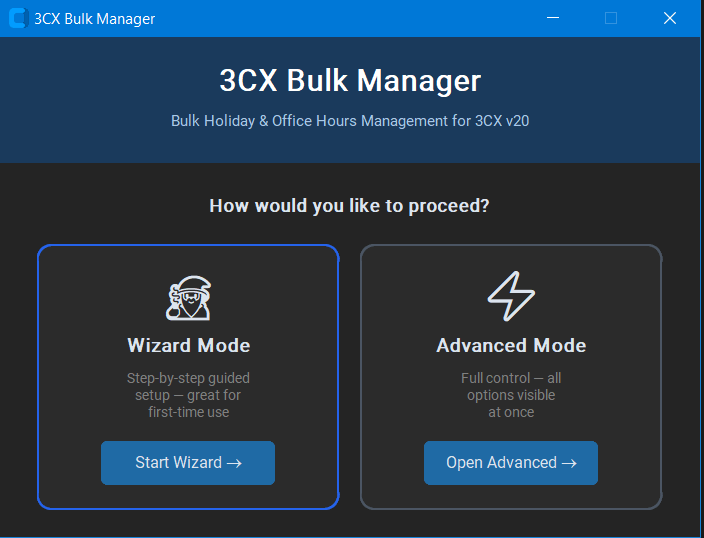
Holiday schedules in 3CX are set per department. On a system with five departments that is the same dates entered five times, every year, for every customer you administer. Miss one and a queue takes calls on a day the office is closed.
This tool connects to any 3CX v20 system and does the whole job at once — including across multiple systems, and including letting the customer fill in their own closure days.
See and edit every holiday you already have
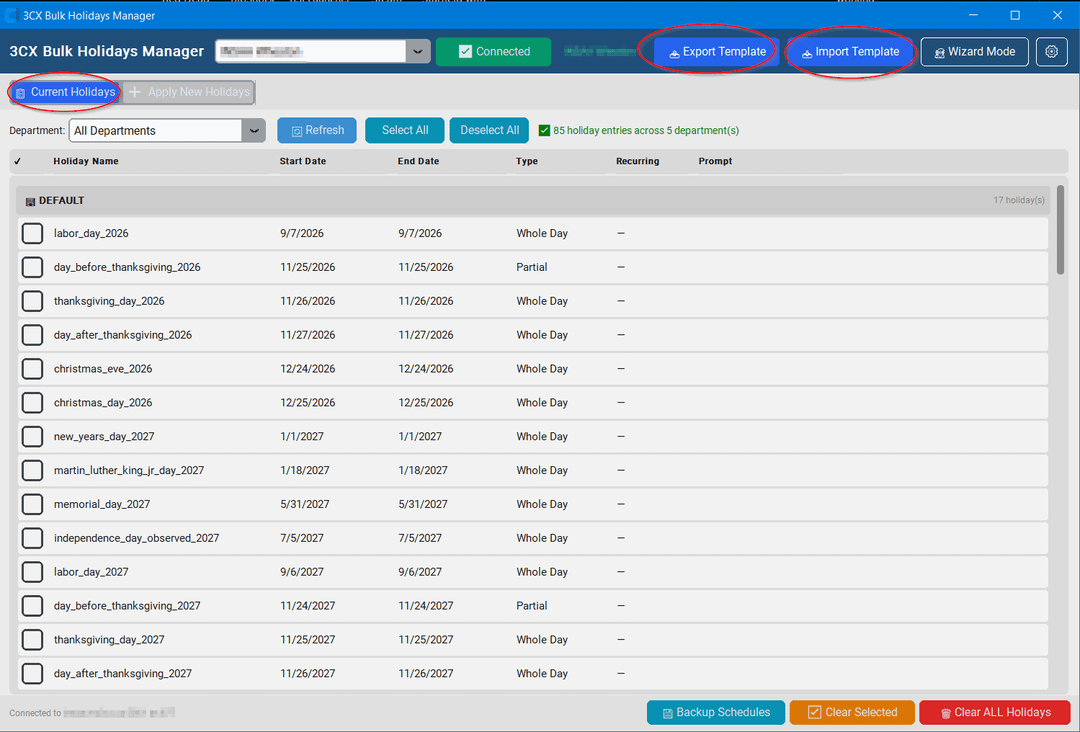
Connect to a system and every holiday across every department appears in one table: name, dates, whole or partial day, whether it recurs, and the prompt callers hear. Filter to a single department or view them all, select what you need, and clear or replace it.
Load a country’s public holidays and apply them in bulk
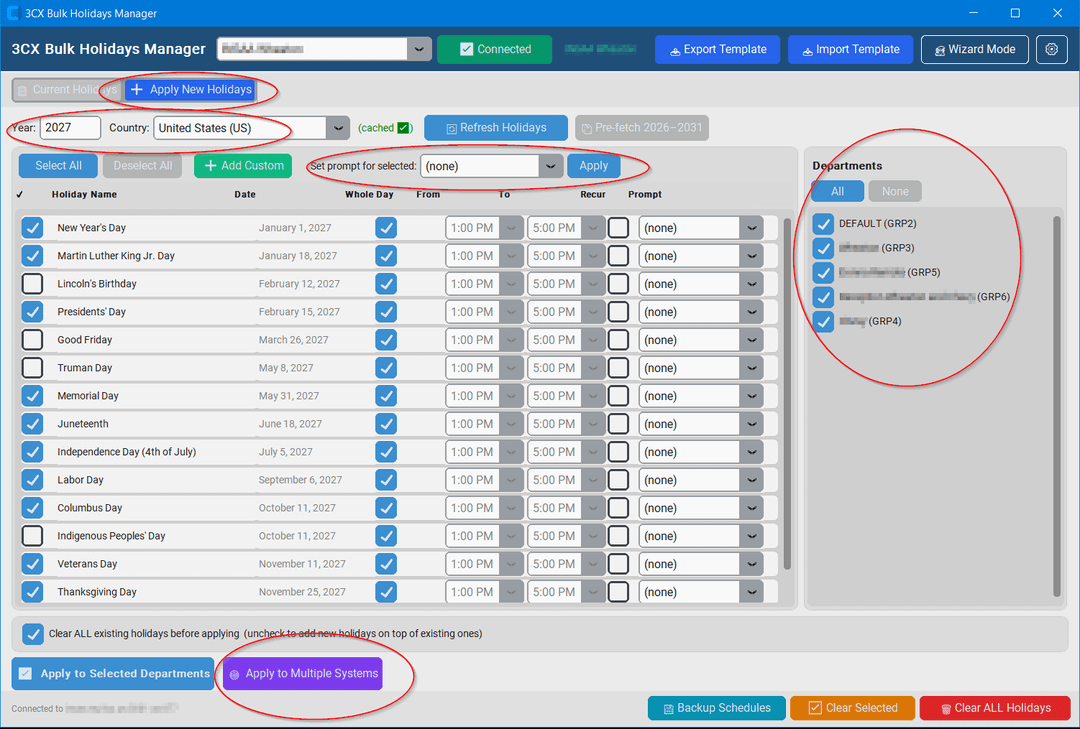
Choose a year and a country and the standard public holidays load automatically, with support for almost any country. Tick the ones the office actually closes for, set whole-day or partial hours, pick the prompt for each, then apply to selected departments in a single action.
Roll the same calendar out to every system you manage
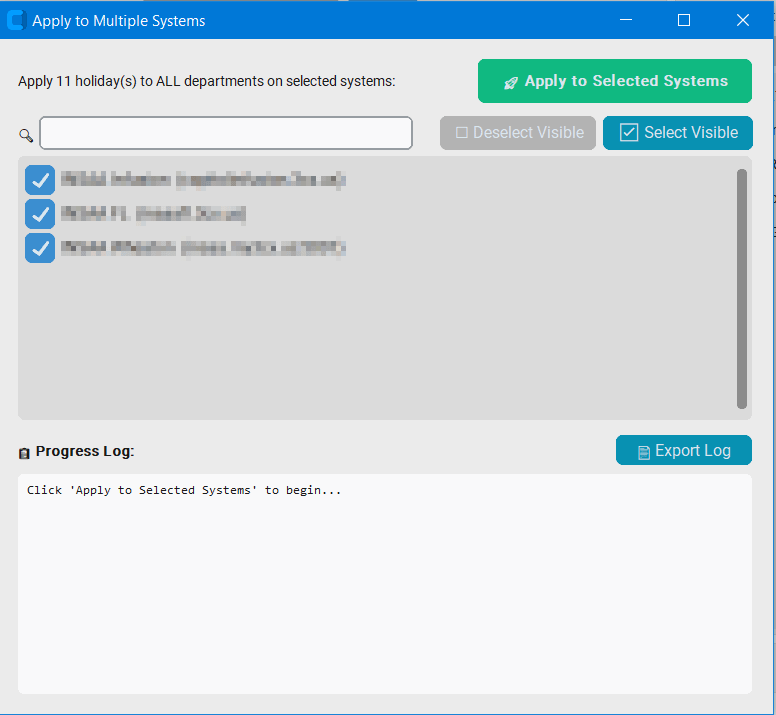
If you look after systems that share a holiday calendar, apply next year’s schedule to all of them in one pass — tens, hundreds or thousands. Select the systems, apply, and follow the progress log, which you can export when it finishes.
Let the customer do the data entry
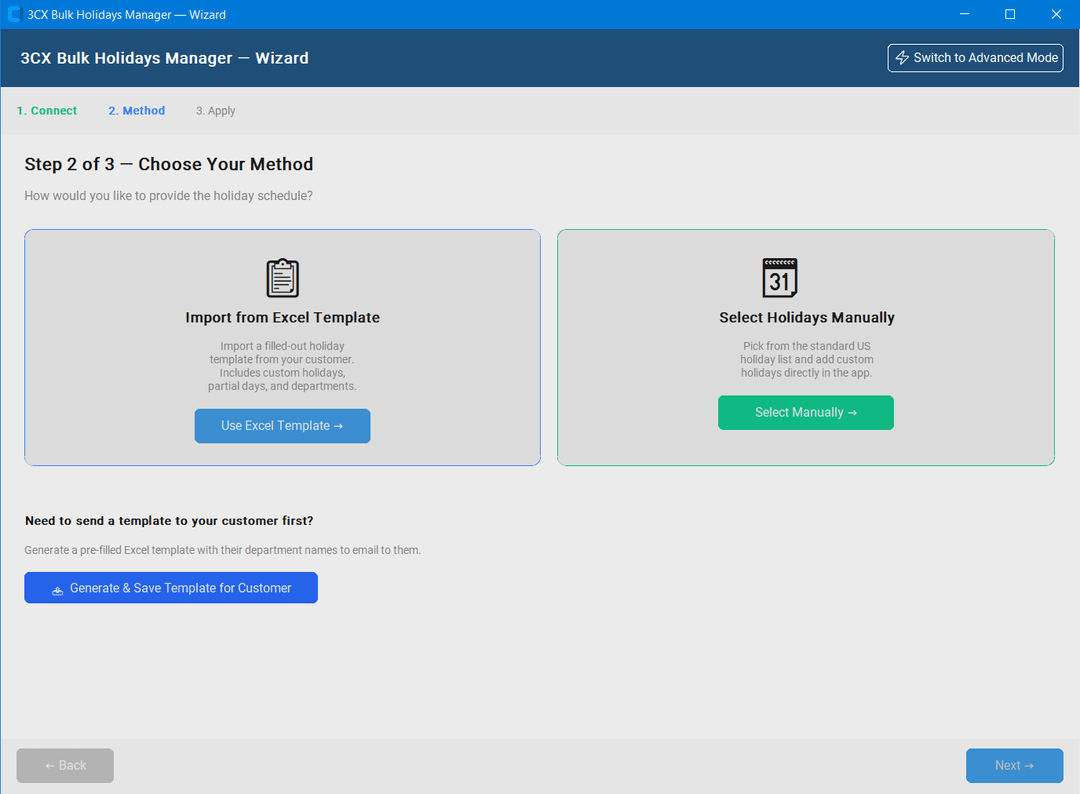
Export an Excel template already filled in with the customer’s department names and email it to them. They enter their own closure days and choose which prompt plays for each one. Re-import the completed file and every holiday is created automatically — all you do is click import.
Download
Free to use, with no account and no licence key. This is Python source, not an .exe — you install Python once, which is free and takes about five minutes, and a step-by-step guide for doing that is included in the download.
What’s new in 1.2
- Fixed a crash when viewing current holidays on large systems, around forty departments or more.
Open source, and it stays on your machine
-
Read the code
The download is the source. Every line of Python that runs is in the folder you unzip — read it yourself, or run it through whatever tool you prefer for a second opinion.
-
No telemetry
No analytics, no usage tracking, nothing phoning home. The only thing it talks to is the phone system you point it at.
-
Credentials stay local
Details for each system you add are encrypted and stored on your own machine, and are only ever sent to that system. Two-factor authentication is supported.
We manage 3CX systems too
Deployments, migrations off legacy PBXs, SIP trunks and call flows — on-site or remotely.